Delete your account
Deleting your account is irreversible and will delete your personal data and drawings.
Best method: delete your account from inside the app (steps below).
Can’t access the app? Scroll down to “Alternative: request deletion by email”.
Can’t access the app? Scroll down to “Alternative: request deletion by email”.
Step 1: Install the app
Ensure Drawing Battles is installed on your device.
Step 2: Log in
Open the app and sign in with your account.
Step 3: Open your profile
Navigate to your user profile:
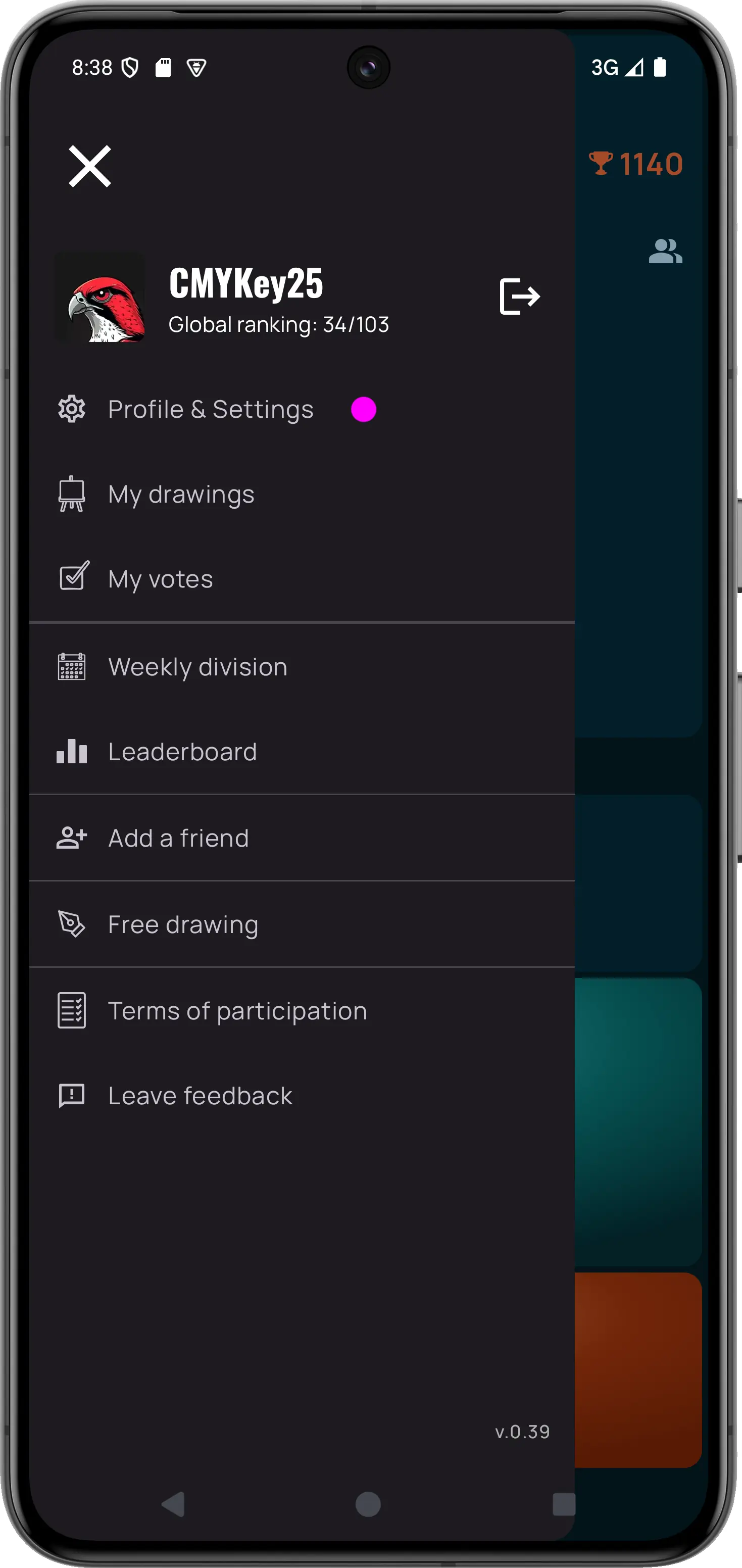
If this image doesn’t load, check the file path and name.
Step 4: Delete account
Tap Delete Account Or Data and confirm:
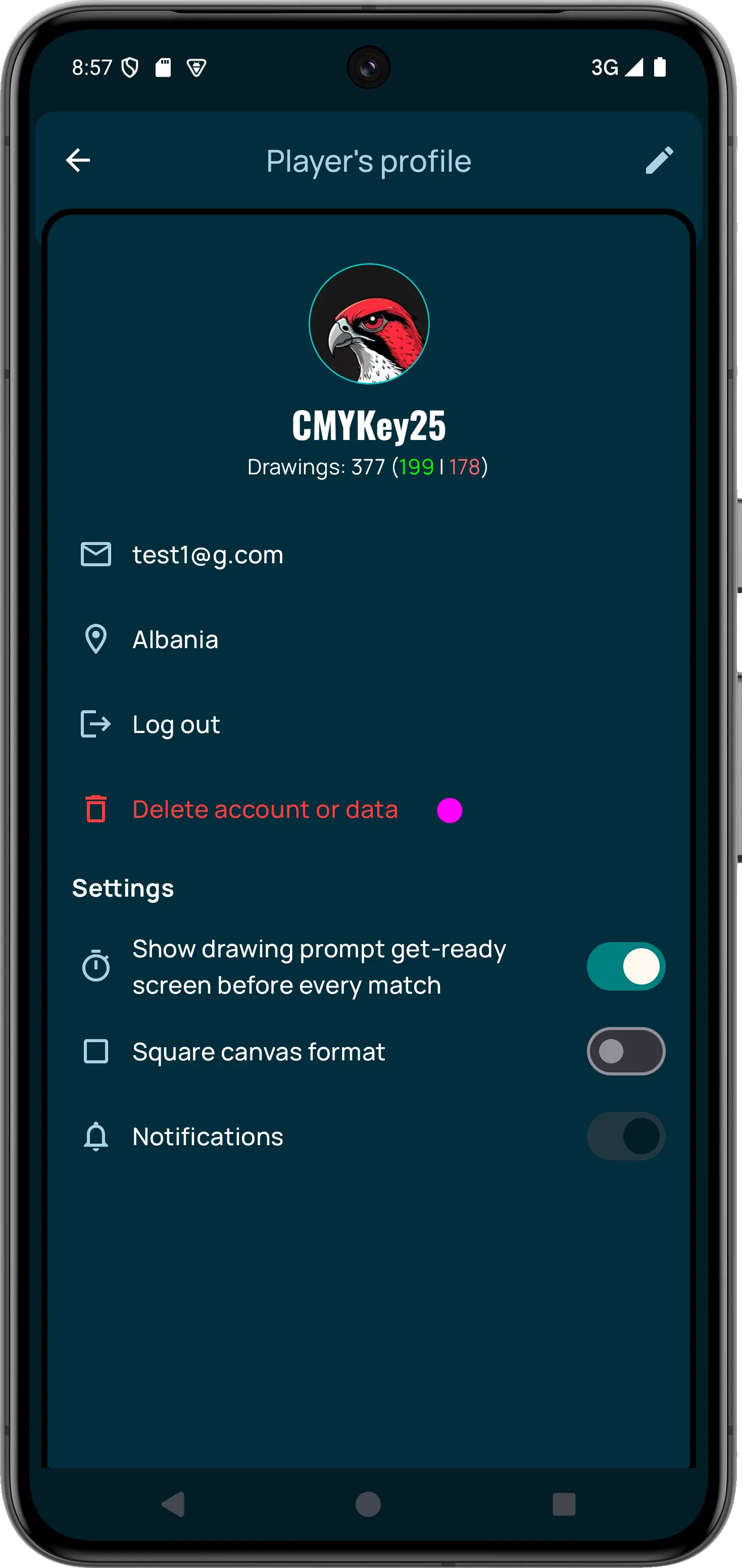
Final confirmation
After confirming, your account will be permanently deleted.