Delete your drawings
This deletes only your drawings. Your other data (account, email, username, etc.) remains untouched.
Deletion is irreversible. Past matches will remain, but your drawings will be shown as deleted/removed.
You can delete drawings from inside the app using the steps below.
If you can’t access the app, contact support: .
Step 1: Install the app
Ensure Drawing Battles is installed on your device.
Step 2: Log in
Open the app and sign in with your account.
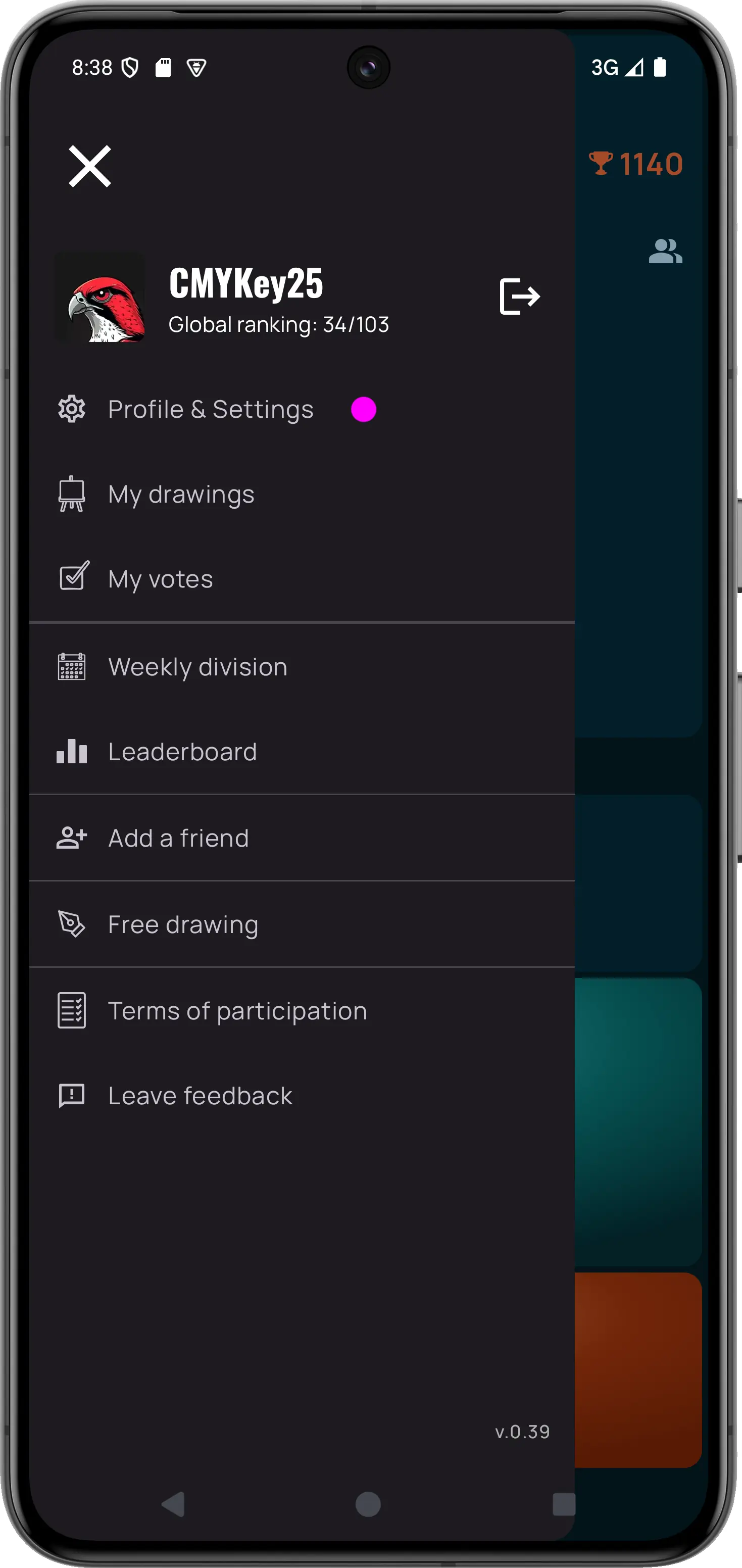
Step 3: Open your profile
Navigate to your user profile:
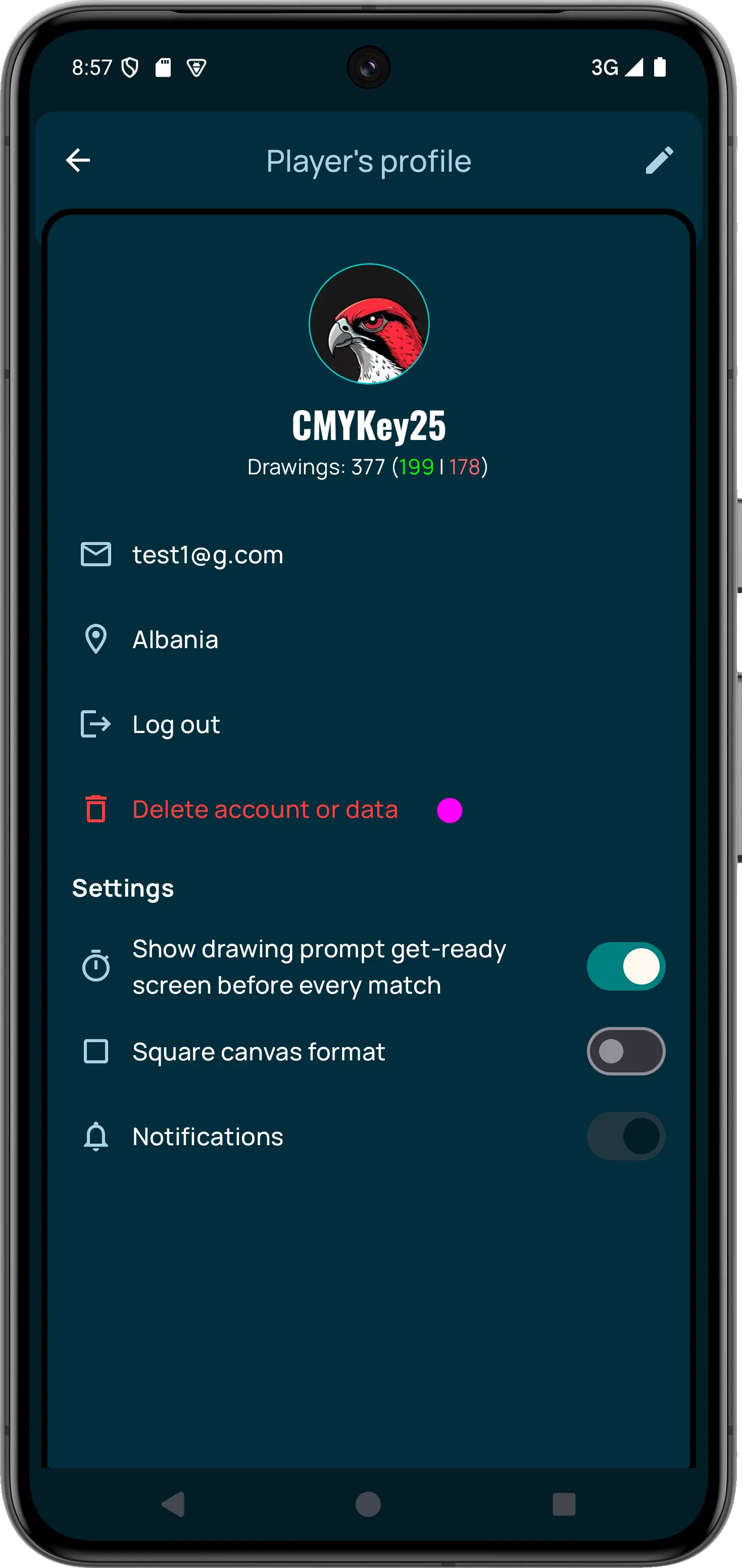
Step 4: Open “Delete account or data”
In your profile, tap Delete account or data:
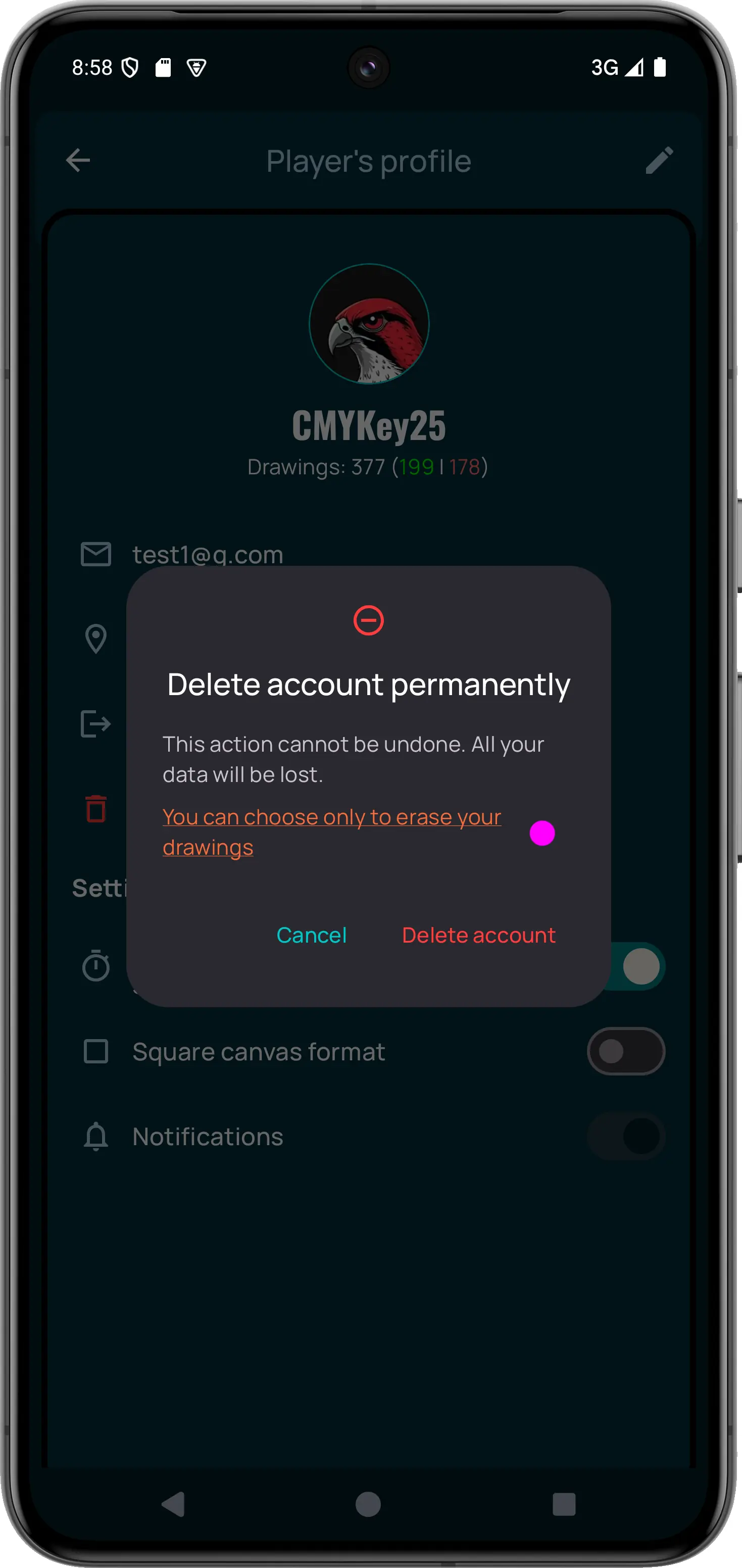
Step 5: Choose “erase only drawings”
In the popup, select the option to delete only drawings:
Final confirmation
Confirm the action. After that, your drawings will be permanently deleted.
← Back to home